Use the confirmed order record to check what was submitted to Kavqeno, and use the current product page to understand what the catalogue shows now. The two records serve different times and should not be treated as interchangeable. Preserve the order number, complete product name, SKU, sale unit and ordered quantity from the confirmation. Recheck current price, stock and catalogue wording on the live page. This method documents the relevant facts without assuming an order, delivery, return or refund outcome.
Why the two records answer different questions
An order confirmation is the relevant starting point for a question about an order already submitted. It connects the order number with the item wording, quantity and other details recorded at that time. A current catalogue page is useful for locating a product and reading its present listing, but dynamic fields or displayed information may change.
Kavqeno’s Terms and Conditions explain that product names, SKUs, images, prices and stock indicators identify live catalogue records. They also state that availability and displayed information may change and that the current product and cart pages are authoritative at the time of an order. This means a live page is not a replacement for the confirmation connected to an earlier order.
Use the confirmed order record for submitted-order facts
When a question concerns an order that has already been submitted, begin with the private confirmation or account record associated with it. Record only the details needed for the question:
- the exact order number;
- the complete product name, including every variant word;
- the SKU when it appears in the record;
- the recorded sale unit and ordered quantity; and
- the specific issue that needs to be checked.
Do not replace a complete product reference with a brand name. Several entries in the Kavqeno Exact Product Directory can share a brand, part of a title or a one-carton format while remaining separate records.
Use the live product page for current catalogue facts
The current product page is the source for what Kavqeno displays now. It can confirm the present full title, SKU, sale unit, price and stock indicator. Price and stock are dynamic observations, so check them live instead of quoting an old screenshot or saved note.
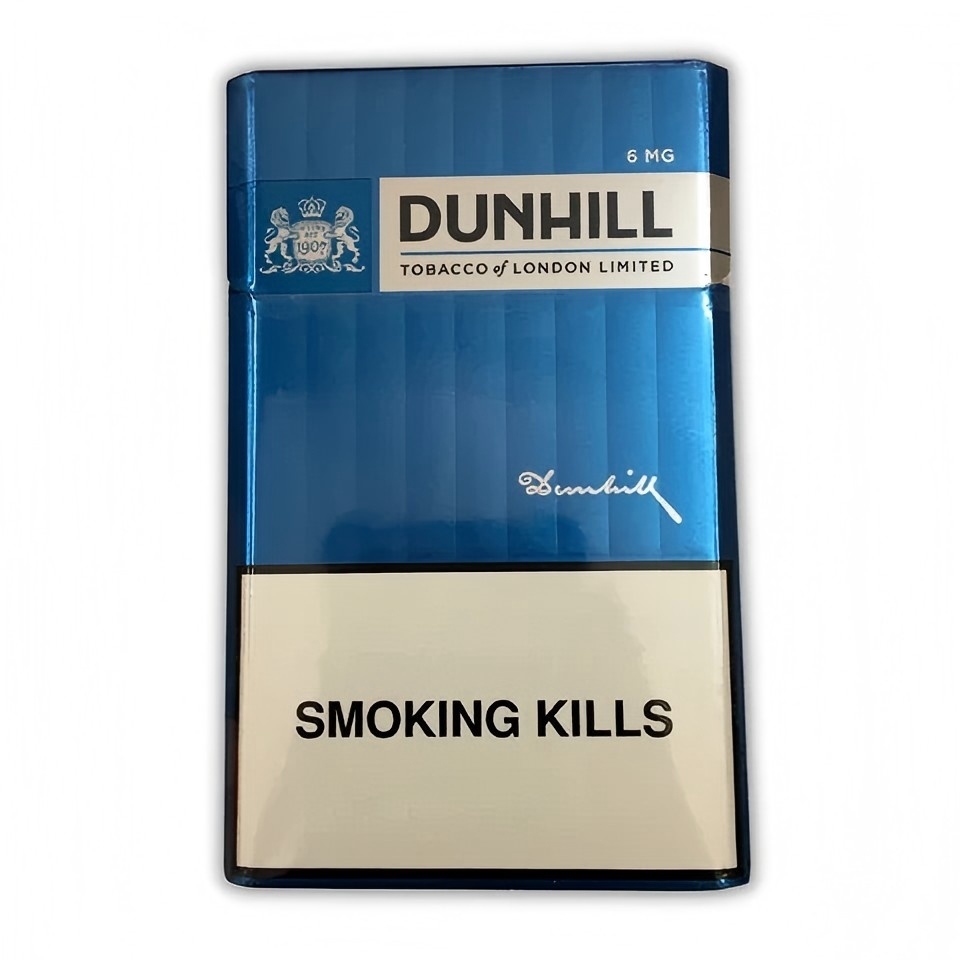
For example, the current Dunhill Blue 6mg Cigarettes – 1 Carton (10 Packs) record uses SKU SS-386. Its real catalogue photograph illustrates the item attached to that live record. The page is an identity-format example only: it does not establish what appeared in any reader’s order confirmation and does not provide evidence about an individual order outcome.
A practical two-record comparison
| Question | Record to use | What to preserve |
|---|---|---|
| What did the submitted order identify? | Confirmed order record | Order number, complete title, SKU, unit and quantity |
| What does the catalogue show now? | Current product page | Current title, SKU, unit, price and stock observation |
| Has a dynamic field changed? | Compare both with dates | The field, source and observation time |
| Which record should support an enquiry? | Order record first; live page as context | Only facts relevant to the question |
Five-step record check
- Open the confirmation or account record for the submitted order.
- Copy the complete product title and SKU exactly as recorded.
- Note the sale unit and ordered quantity without adding an assumption.
- Open the current Kavqeno product page and date any live price or stock observation.
- Describe any difference as a factual comparison between the two sources.
A useful statement is precise: “The confirmation records this complete title and SKU; the live page currently displays this field.” Avoid conclusions about why a difference exists. A two-record check organises evidence; it does not determine acceptance, dispatch, delivery, return eligibility or a remedy.
What not to use as the only evidence
A shortened product label
A brand or partial title can point to several catalogue entries. Keep the full recorded name and SKU together.
An undated screenshot
A screenshot may not show when a dynamic field was observed. If current price or stock matters to the question, read the live page and note the date.
A current page standing alone
The present catalogue cannot by itself show what was recorded in a previously submitted order. Preserve the confirmation rather than trying to reconstruct it from today’s page.
When to contact Kavqeno
If the two records do not settle the issue, use the official Kavqeno contact page. Include the order number when relevant, the complete product name or SKU, and one concise description of the question. The existing guide on what to include in a Kavqeno order enquiry explains which issue-specific details may help.
Do not include card details, identity documents or unrelated personal information in a general message. Do not publish an order number or delivery information in a public comment. Ask for the next step rather than proposing a guaranteed result or sending an item to an assumed return address.
Final checklist
- The order number comes from the confirmed record.
- The complete product name and SKU have not been shortened.
- The sale unit and ordered quantity are recorded separately.
- Current price and stock observations are read live and dated.
- Any difference is described without guessing at its cause.
- Only necessary information is included in an enquiry.
Adults 18+ only. Kavqeno is restricted to eligible adults in Australia. Tobacco contains addictive nicotine, and smoking causes serious health risks. This article provides neutral order-record and policy-process information, not health advice and not a guarantee of order acceptance, dispatch, delivery, return approval, refund, replacement or any legal outcome.